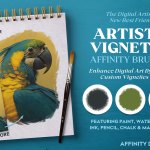



Convert your art into custom vignettes with ease using these handy Affinity Path (vector) brushes. For those not familiar with the term, a vignette is an image that fades gradually into the background. Vignettes are seen everywhere from children’s books, editorial illustrations, fine art and beyond, making these Affinity brushes the perfect partner to almost any other digital illustration tool and a welcome addition to any digital artist’s tool kit.
Why I created the brushes:
I made the pack to solve a problem – every time I used an art brush to create a vignette, it didn’t look right. Why? in real-world art, a vignette is defined by the space around the art and not by the art itself. So, with these brushes, I used the negative space around art to create a far more authentic set. Plus, being Affinity Path (Vector) brushes, they’re easy to use and customizable too.
A few of the many advantages provided by this pack:
- It features real textures from pencils, paint, chalks, pastels, watercolor, ink and more.
- They’re quick and easy to use – enhance your art in seconds.
- Pose and re-pose into almost any shape.
- Combine brush types for wider variety and a mixed media aesthetic.
- Switch art styles with a simple click.
- Combine with artist canvases papers and other backgrounds with ease.
- Plus, they look amazingly authentic!
Grab it now and add those all-important faded edges to any design, illustration or photograph with no fuss!
Software Compatibility: This product works with Affinity (Including the latest version). The featured Path Brushes (Previously named Vector Brushes) work in the Vector Studio. It will also work with Affinity Designer 2.
See the pack in action in my helpful tutorial video:
Check out our Affinity tutorials page to see more products in action and to learn how to use Affinity.
The pack contains all of these fantastic components:
- The Path Brushes
16 Real-media vignette edge brushes:
2 watercolor Vignette Brushes.
1 Stippled Paint Vignette Brushes.
4 Pencil Vignette Brushes.
1 Pastel Vignette Brush.
3 Ink Vignette Brushes.
1 Charcoal Vignette Brush.
2 Chalk Vignette Brushes.
1 Rolled Paint Vignette Brush.
1 Subtle Ink Vignette Brush.
- A quick reference guide
This will help you quickly find the right brushes for the task in hand. Print it out or use it digitally.
- Instructions
A very thorough guide on how to load and use the Affinity Path Brushes is included.
This product is covered by The Artifex Forge Tools License.
Software Compatibility: This product works with Affinity (Including the latest version). The featured Path Brushes (Previously named Vector Brushes) work in the Vector Studio. It will also work with Affinity Designer 2.
Rated 5 out of 5 stars based on 4 customer reviews.